
Traffic Court Records in Porter County
Porter County runs no stand-alone traffic court. According to the current official directory, infractions and ordinance cases filed with the courts land in Superior Courts 3, 4, or 6 in the County Division. The agency that wrote the ticket hints at the routing. But the court printed on the ticket and the court field in MyCase control.
Recordkeeping splits the same way. The Clerk of the Circuit Court holds the citation, the CCS, judgments, orders, and payment events made through the court. Indiana ePay provides the ticket lookup and the payment option for eligible tickets. MyCase carries the public case history. The Court Calendar lists settings only for courts that take part.
Porter Tickets Route by Agency
Local rules draw the map by agency. DNR, Beverly Shores Police, NICTD, and Porter County Sheriff matters go to Superior 3. Valparaiso Police, Kouts, Hebron, Valparaiso University Police, Chesterton Police, Burns Harbor Police, CN Railroad, and Town of Porter Police matters go to Superior 4. Portage Police, Indiana State Police Districts 13 and 21, and Ogden Dunes Police go to Superior 6.
The route can shift. Transfers and related cases change the usual assignment. So check the court printed on the citation and the court shown in the Odyssey case before you appear or mail anything in.
How to Look Up a Traffic Ticket
The Porter County online traffic page points you to Indiana ePay. Type the UTT ticket number and keep any leading zeroes. If nothing comes back, search with first and last name plus date of birth. A driver-license-number mode also exists. A hit can show the ticket date and number. The detail view may add the police agency, court, Odyssey case number, offense, and balance due.
- Copy the UTT number and assigned court from the ticket.
- Search ePay by UTT, including any leading zeroes.
- Try name and birth date when the ticket number is unavailable.
- Compare the agency, court, offense, and case number in the result.
- Call the court or clerk if no result appears or payment is unavailable.
Porter ePay Search Fields
The ePay interface offers three ways in. Each runs on different data, so a dead-end UTT query does not rule out a name match or a later court case in MyCase.
| Search mode | Required details | Format note |
|---|---|---|
| Ticket | UTT number | Keep leading zeroes |
| Name | First name, last name, birth date | Month/day/year |
| License | Driver license number | Use the interface's license mode |
The Indiana ePay portal does not cover every ticket or court. If a search comes up empty, call the assigned court. The county instructions posted with the portal lay out the UTT and name/birth-date requirements for each path.
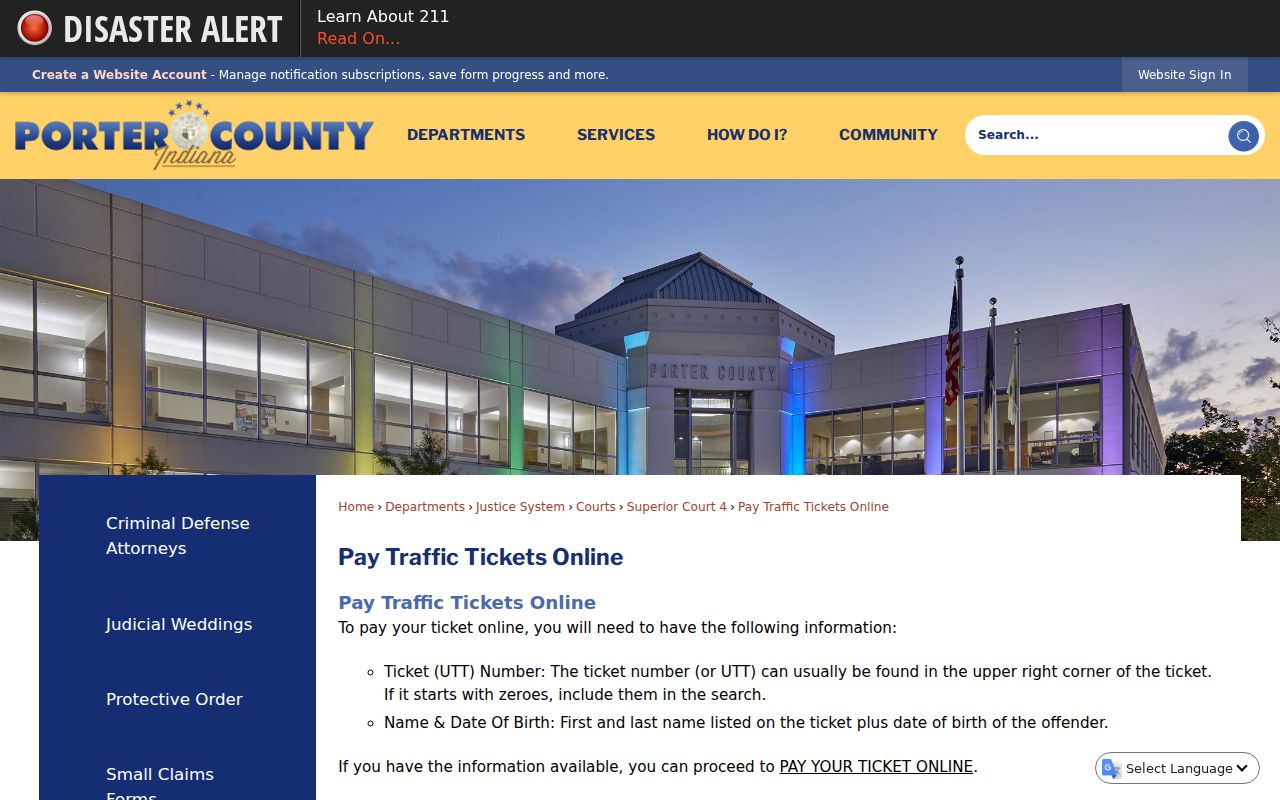
Both paths reach the same state payment service. They simply start from different identifiers.
Finding Your Traffic Court Date
Read the appearance date printed on the citation first. Then check it against the MyCase CCS and any Court Calendar result. The public calendar currently lists Superior 6 but not Superior 3 or 4, so a blank result for those courts does not cancel the setting. A missing, near, or changed date calls for a phone call to the assigned court.
| Citation Number | The UTT, such as J0000000, which differs from the Odyssey case number. |
|---|---|
| Court | Porter Superior 3, 4, or 6 according to the filed record. |
| Date & Time | The appearance or later hearing setting. |
| Location | The published court or courtroom when available. |
| Status | Pending, payable, disposed, reset, or another court-entered state. |
When Porter Tickets Do Not Appear
A missing ticket has a few common causes. It may not be posted yet. It may not qualify for online payment. Or it may sit under an Odyssey case number instead of the UTT that ePay uses. Search MyCase by citation number or name and pick Porter County Criminal & Citation. If the hearing court is Superior 3 or 4, call. Neither appears in the current public calendar list.
Use the fallback chain. Call the assigned court, contact the Portage annex or Valparaiso clerk, and bring the ticket to the counter if staff cannot match it by phone.
Paying or Contesting a Ticket
Paying is a court-account action. It is not a request for a contested hearing. The payment screen does not replace the response instructions on the citation. Eligible ePay results may offer payment, an agreement checkbox, plea choices where enabled, deferral choices in some jurisdictions, and a processor fee. Anyone who wants to contest the ticket cannot pay it, or missed an appearance should contact the assigned Porter court right away.
| Paying the Ticket | Contesting the Ticket |
|---|---|
| Completes an eligible payment action shown by ePay | Requests the court process for a disputed citation |
| Follow the response date printed on the ticket | Contact the court by the printed appearance date |
| ePay or a method confirmed by the court | The assigned Superior Court's approved method |
Missed traffic setting: Contact the assigned Porter court immediately. Do not assume an online payment will resolve a missed appearance or any court order entered afterward.
Porter Traffic Access Channels
Online, ePay handles eligible tickets. MyCase shows public court history, and Court Calendar covers participating hearings. By phone, call the assigned court, the county switchboard at 219-465-3400, the Valparaiso Clerk at 219-465-3450, or the Portage annex clerk at 219-759-8212.
In person, the Valparaiso Clerk sits at 16 Lincolnway, Suite 209/211. The Portage annex is at 3560 Willowcreek Road. The county publishes no single mail, email, or fax process for traffic records. Call before sending a citation number, birth date, payment, or copy request.
The payment interface below shows the separate ticket and case routes on the official state service.
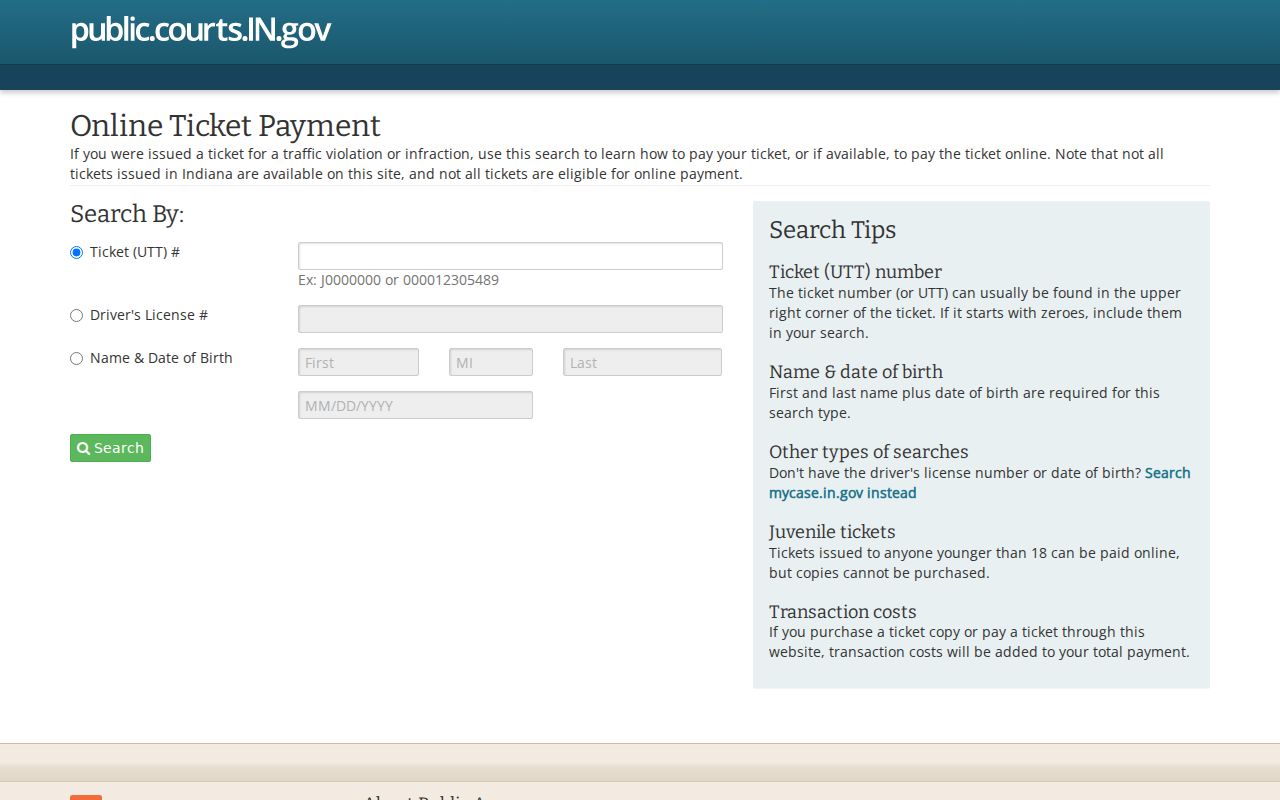
That screen is a payment and lookup tool. It does not replace the court's docket or appearance instructions.
Court Traffic Record vs Driver Record
The court traffic case and the state driver file are two different records. Two different offices keep them. The Porter Clerk maintains the citation, the CCS, orders, judgment, and court payment events. The Indiana Bureau of Motor Vehicles keeps the separate driver record. A police report or evidence file is a third item. The agency that issued the ticket holds it.
| Court Traffic Record | Driver Record | |
|---|---|---|
| Kept By | Porter Clerk and assigned Superior Court | Indiana Bureau of Motor Vehicles |
| Shows | Citation, CCS, plea, order, disposition, and court balance | State-maintained license and violation history |
| How to Get It | MyCase, ePay, or a clerk request | BMV record-request channel |
Porter Citation Numbers Differ
Three numbers follow a Porter traffic ticket: the UTT, the ticket number, and the Odyssey case number. They are not the same thing. ePay is built around the UTT or a personal search, while MyCase takes the citation number or the trial-court case number that follows from it. Once that case number exists, its Porter prefix tells you which court has the file and gives you what you need to request a document or a court date.
Keep both numbers handy. A clerk moves faster on a request that carries the court case number, but the ePay screen may still demand the UTT. Also, never strip leading zeroes from the UTT unless the official search says you may.
Fees and Copies
An eligible ePay result may offer a plain ticket copy for $1. That is not a certified court-file copy. Juvenile ticket copies are off the table entirely through that interface. Certified citations, CCS entries, judgments, or orders must come from the Porter Clerk with the case number and document title named.
Fees add up in their own ways. The state Trial Court Fee Manual lists a $0.50 highway-worksite fee in each traffic offense. It adds $25.50 under specified work-zone conditions when ordered. Other costs ride on the statute and the case. County material also lists a $25 late-payment fee, though the current court account is what controls.
| Item | Fee | Notes |
|---|---|---|
| Eligible ticket copy in ePay | $1 when offered | Plain interface copy, not certification |
| Certified court copy | Confirm with clerk | Give case number and document title |
| Highway-worksite assessment | $0.50 or $25.50 in stated conditions | Current case and judge order control |
The official state traffic fee chart is shown below.
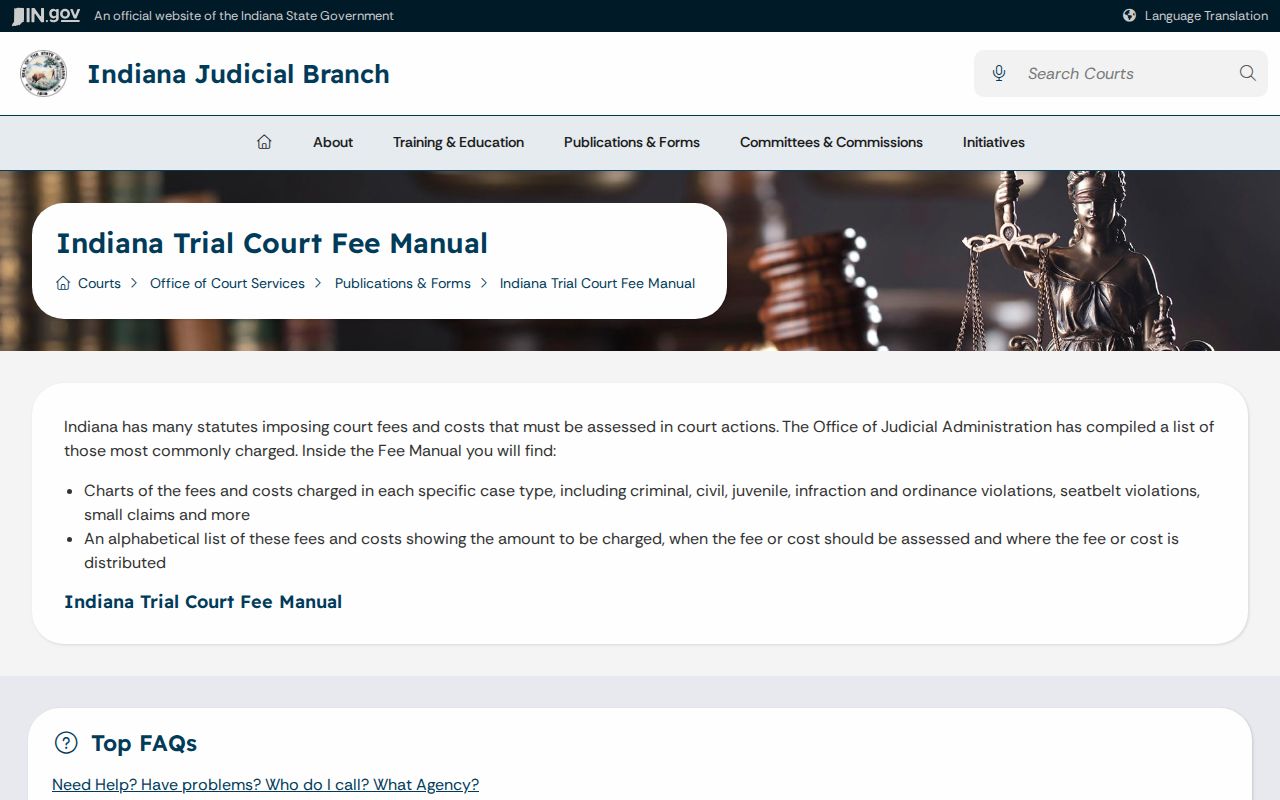
The chart is statewide context; the assigned Porter court account is what tells you the amount due in one case.
Porter Traffic Clerk Requests
Name things precisely when you write to the traffic clerk. A good request lists the assigned Superior Court, the Odyssey case number, and the UTT when known. Name the exact item wanted, whether that is the citation, the CCS, a judgment, or an order. Skip vague asks for a "record." With specifics, the clerk can tell you whether the item is public, whether certification is available, and which delivery and payment methods apply.
Older material or a document missing online may still sit in the official file. A court reporter handles hearing transcripts. The issuing police agency keeps its own report and evidence. Indiana court-access rules govern the court file. A specific request to the maintaining clerk beats a generic county records form every time.
Reading Porter Traffic Case Results
An ePay balance, a MyCase status, and a CCS disposition each describe a different part of a Porter traffic case. The payment screen tells you only whether an eligible online transaction is offered. MyCase names the court case and its public event history. The CCS and the entered judgment show what the court actually did. Read all three in context before you call a ticket resolved.
Timing can trip you up. A payment event may land after the court action, and a reset can leave an older date sitting in the chronology. Match each setting against the later order and the current court assignment. If the record shows a transfer, a missed setting, or an amount that clashes with the citation, contact Superior 3, 4, or 6 as assigned. The clerk account gives the current amount due. It is not an old screen capture or one lone docket line.
Porter Traffic Records Under Access Rules
Indiana Access Rule 4 sets the general public-access presumption for a court-filed traffic case. Access Rule 5 still shields listed information and confidential records. A public traffic docket can still show a lot. It lists the court, the offense, the settings, and the final disposition. Protected addresses and identifiers stay out of view. So do medical material and any excluded document.
MyCase is not the official record. For an authenticated traffic judgment or a document with no public link, ask the Porter Clerk. State guidance sends court records to the maintaining clerk. Transcripts go to the court reporter. The police report stays with the issuing agency, and the driver file stays with the BMV.